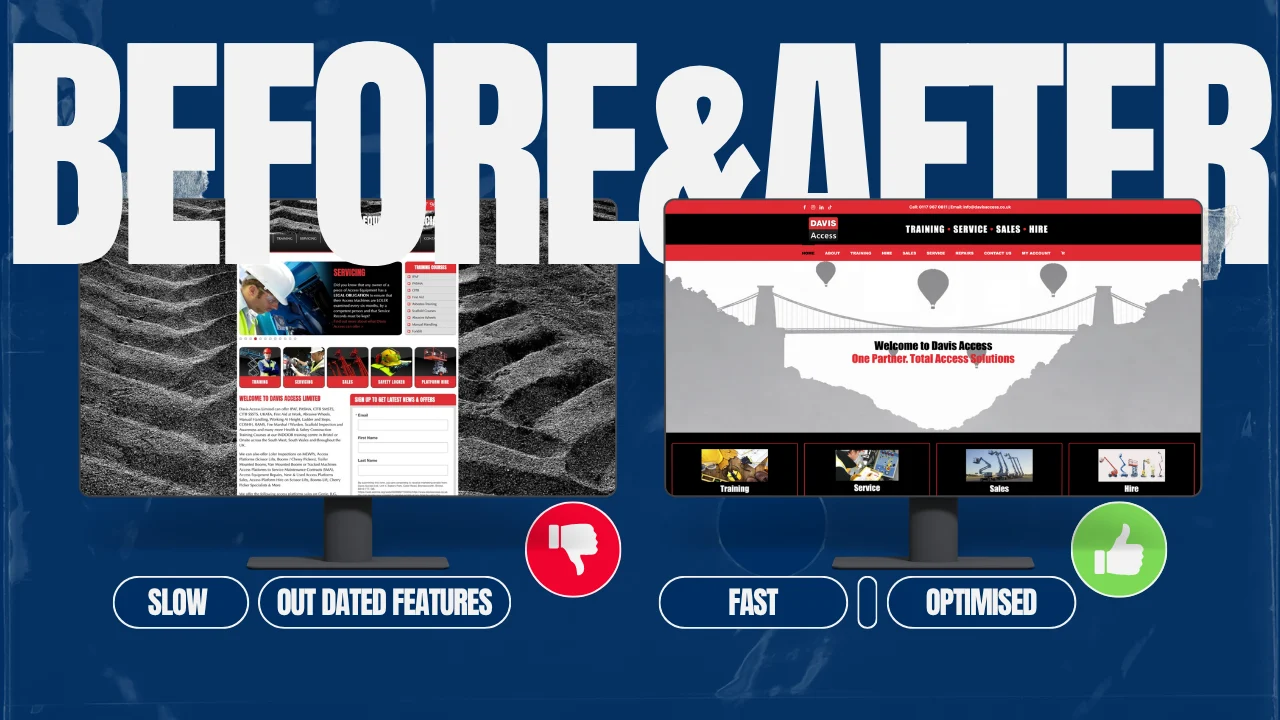
Your website might be working perfectly well today, but that doesn’t necessarily mean it should be left untouched for years.
Businesses change. Services are added, prices change, teams grow, branding develops and customers’ expectations move on. Your website needs to keep up with those changes.
At the same time, updating a website doesn’t automatically mean paying for a complete redesign every two or three years. A well-built website can remain useful for many years if its content, software, security, performance and user experience are properly maintained.
So, how often should you update your website?
The short answer is: review it regularly, update it whenever something changes, and carry out a more thorough review at least once a year. A redesign should be based on the condition and performance of the website rather than an arbitrary expiry date.
How Often Should You Update a Business Website?
There isn’t one schedule that works for every business, but the following is a useful starting point:
| Frequency | What to review | Examples |
|---|---|---|
| Monthly | Technical maintenance and important content | Software updates, security checks, forms, contact details, new services or announcements |
| Quarterly | Performance and key pages | Page speed, broken links, calls to action, service pages, analytics and Search Console data |
| Annually | Overall website review | Content, SEO, images, team information, case studies, customer journey and mobile experience |
| Every 2–4 years | Broader design and technology review | Website structure, design, functionality, hosting, integrations and conversion paths |
| Whenever needed | Business-critical changes | New branding, major services, pricing changes, reorganisation or technology problems |
These are guidelines rather than rules. A small local business with a straightforward website may need relatively little change, while an ecommerce site or rapidly growing company may require much more frequent attention.
Does Updating Your Website Mean Redesigning It?
No.
This is an important distinction.
A website can be kept up to date without rebuilding it from scratch. You might only need to:
Update your services
- Change prices
- Add new photographs
- Replace outdated team information
- Add recent reviews or case studies
- Improve page speed
- Fix broken links
- Update forms
- Improve mobile layouts
- Rewrite pages that no longer accurately describe the business
- Update software and plugins
- Improve calls to action
A redesign becomes more appropriate when the website has bigger underlying problems.
For example, the design may no longer represent the business, the navigation may be difficult to use, the technology may be difficult to maintain, or the website may be generating traffic without turning enough visitors into enquiries.
The age of a website is a useful reason to review it, but it isn’t by itself a reason to replace it.
1. Your Business Changes
This is probably the most obvious reason.
Your website should accurately reflect the business someone would actually deal with if they contacted you today.
Think about:
- Services you’ve stopped offering
- New services you’ve introduced
- Changes to pricing
- New locations
- New members of your team
- Old staff who have left
- Changes to opening hours
- New accreditations or memberships
- Recent projects
- New customer reviews
- Changes to your branding
- Outdated contact information
An inaccurate website can create unnecessary questions and, in some cases, cause potential customers to look elsewhere.
If your website says you provide a service that you stopped offering two years ago, for example, that’s not just an SEO issue. It’s simply incorrect information.
2. Technology Doesn’t Stand Still
The technology behind a website changes over time.
Content management systems, themes, plugins, integrations, hosting environments and security standards all receive updates. Some software eventually becomes unsupported altogether.
Regular maintenance can help you identify problems before they become serious.
That might involve:
- Updating your CMS
- Keeping plugins and themes supported
- Checking compatibility after major updates
- Monitoring website security
- Maintaining backups
- Checking contact forms
- Reviewing third-party integrations
- Monitoring website performance
- Removing software that is no longer required
This doesn’t mean every website needs to be rebuilt whenever technology changes. In many cases, regular maintenance is enough.
However, if a website has been left untouched for several years, it is worth having the underlying technology properly assessed.
3. Your Website Should Work Well on Mobile
Most businesses need to consider how their website works across phones, tablets and desktop computers.
A website that looked good several years ago may not provide the same experience today, particularly if its layouts, menus, forms or images haven’t been reviewed.
Check whether:
- Text is easy to read on smaller screens
- Buttons are easy to tap
- Menus work properly
- Forms are straightforward to complete
- Images load efficiently
- Important information is easy to find
- Pages remain usable without excessive scrolling or zooming
Mobile usability is particularly important because your website is often the first place a potential customer encounters your business.
4. Your Customers’ Expectations Change
Websites don’t exist in isolation.
People compare your business with other companies they find online. If competitors have clearer navigation, better information, stronger photography and easier ways to make contact, an older website may make your business appear less current than it actually is.
That doesn’t mean you need to follow every new design trend.
Good website design should first make information easy to understand and actions easy to complete.
Sometimes a few well-chosen improvements are more valuable than completely changing the appearance of the site.
5. Your Search Performance Needs Attention
Keeping a website updated can also form part of your SEO work, but it is important not to oversimplify how Google works.
Simply changing a page because it hasn’t been edited recently does not guarantee better rankings.
Google’s guidance focuses on useful content created for people, while technical factors such as crawlability, indexing, page experience and website quality also matter.

Website traffic and search visibility can change over time, so regular performance reviews can help identify pages and areas that need attention.
Instead of changing content for the sake of making it look “fresh”, ask whether the page can be made more useful.
For example:
- Is the information still accurate?
- Does it answer the questions customers actually ask?
- Are important services clearly explained?
- Are there better examples or case studies you can add?
- Are the page title and headings still appropriate?
- Are there broken or outdated links?
- Does the page match the search intent it is targeting?
- Is the content based on your actual experience?
If the answer to several of these questions is no, an update may be worthwhile.
6. Your Website Should Help Generate Enquiries
A website isn’t successful simply because it looks good.
For many businesses, its job is to help potential customers understand what you offer and make it easy for them to take the next step.
That could mean:
- Calling you
- Sending an enquiry
- Requesting a quote
- Booking an appointment
- Buying a product
- Visiting your premises
- Signing up for information
Review whether your important pages make those actions obvious.
Look at your enquiry forms, phone numbers, buttons, navigation and service pages.
If visitors are finding the website but not contacting you, the answer may not be “more traffic”. The website itself may need improving.
Signs Your Website May Need an Update
You don’t necessarily need to know when your website was originally built to work out whether it needs attention.
Look for practical warning signs.
Your Information Is Out of Date
Your services, prices, team members, contact details or opening hours are incorrect.
Your Website Looks Fine on Desktop but Poor on Mobile
Menus, forms, images or layouts don’t work properly on smaller screens.
Your Website Is Slow
Large images, unnecessary scripts, outdated software or poor hosting can all contribute to performance problems.
You’re Embarrassed to Send People to It
This is surprisingly useful feedback.
If you regularly find yourself saying, “Our website is a bit old, but…” when sending someone the link, it may be time to review it.
Your Business Has Changed Significantly
If your company has grown, changed direction, introduced new services or moved into new markets, your website should reflect that.
Your Website Generates Visitors but Few Enquiries
Traffic is only part of the picture. If people arrive but don’t take action, review the content, navigation and conversion journey.
Nobody Is Responsible for Maintaining It
A website that has no owner or maintenance process can gradually become outdated without anyone noticing.
Parts of It No Longer Work
Broken forms, outdated integrations, missing images, broken links or software errors are obvious signs that the site needs attention.
What About SEO? Do You Need to Keep Adding New Content?
Not necessarily.
Publishing a blog post every week isn’t automatically going to improve your website.
The better question is:
Would this content genuinely help the people you want to attract?
If the answer is yes, creating useful content can be worthwhile.
That could include:
- Helpful guides
- Answers to common customer questions
- Project case studies
- Service information
- Product updates
- Industry information
- Demonstrations of your expertise
Existing pages can also be improved.
Updating an important service page because the information has become more accurate or useful can be more valuable than publishing another generic blog post.
The important thing is to create content for people first, rather than simply producing pages because you think you need to publish something new.
What Should You Check During a Website Review?
A useful annual website review should look beyond the homepage.
Content
- Are your services accurate?
- Are prices and terms current?
- Are team profiles up to date?
- Are your contact details correct?
- Are your images still relevant?
- Are your case studies and reviews current?
Content
- Are your services accurate?
- Are prices and terms current?
- Are team profiles up to date?
- Are your contact details correct?
- Are your images still relevant?
- Are your case studies and reviews current?
Technical Performance
- Are your services accurate?
- Are prices and terms current?
- Are team profiles up to date?
- Are your contact details correct?
- Are your images still relevant?
- Are your case studies and reviews current?
Mobile Experience
- Does navigation work properly?
- Are buttons easy to use?
- Is text readable?
- Do forms work comfortably?
- Are important pages easy to access?
SEO
- Are important pages still targeting the right searches?
- Are page titles and headings appropriate?
- Are there outdated or duplicated pages?
- Are useful pages being indexed?
- What does Google Search Console tell you about your current performance?
Conversion
- Is it obvious what you want visitors to do?
- Can people contact you easily?
- Are your main services easy to find?
- Do your calls to action make sense?
- Are visitors being given enough information to make an enquiry?
When Should You Consider a Complete Redesign?
There is no universal rule that a website should be replaced every two or three years.
Instead, consider a redesign when the existing website is becoming a limitation.
For example:
- The design no longer represents your business
- The website isn’t properly responsive
- The underlying technology is difficult to maintain
- The navigation has become confusing
- Your business has changed significantly
- The site is difficult to edit
- Important integrations no longer work properly
- Performance problems are difficult to resolve
- The website isn’t generating the enquiries it should
- Your branding and positioning have changed
- Making further improvements would cost more than rebuilding properly
A redesign should solve a business problem rather than simply give you a newer-looking homepage.
How to Update Your Website Without Starting Again
If your website is fundamentally sound, you may not need a rebuild.
Start with the areas that will make the biggest difference.
Step 1: Review the Important Pages
Look at your homepage, main service pages, contact page and the pages that receive the most visitors.
Step 2: Check Your Business Information
Make sure services, prices, contact details, team information and other important details are correct.
Step 3: Check the Technical Basics
Review software updates, security, backups, forms, broken links, mobile performance and page speed.
Step 4: Look at Your Data
Use analytics and Google Search Console to understand which pages attract visitors, which searches bring people to the site and where users may be dropping out of the enquiry process.
Step 5: Improve Rather Than Change for the Sake of It
Don’t rewrite a page simply because it is old.
Change it because you can make it clearer, more accurate, more useful or more effective.
Step 6: Decide Whether a Redesign Is Actually Necessary
If the existing website can be improved without rebuilding it, there may be no reason to start again.
If the underlying problems are structural or technical, a redesign may make more sense.
A Website Doesn’t Have an Expiry Date
One of the biggest misconceptions about websites is that they automatically become obsolete after a certain number of years.
They don’t.
A five-year-old website that is secure, fast, easy to use, technically maintained and accurate could be more effective than a brand-new website that hasn’t been properly planned.
Equally, a two-year-old website can need significant work if the business has changed or the site has been poorly maintained.
The question isn’t simply “How old is my website?”
It’s:
“Is my website still doing its job?”
If it accurately represents your business, works well for customers, performs properly and can be maintained securely, there’s no need to replace it simply because it has reached a certain age.
If it no longer reflects the business, frustrates visitors, creates technical problems or fails to generate the results you need, that’s when it’s worth taking a closer look.
So, How Often Should You Update Your Website?
For most businesses, a sensible approach is to:
- Check important content regularly
- Carry out technical maintenance monthly
- Review performance and key pages quarterly
- Carry out a wider website review at least once a year
- Consider a broader design and technology review every few years
- Make changes whenever your business, customers or technology require them
There is no magic two-year or three-year deadline.
A good website should evolve alongside the business it represents.
The goal isn’t to keep changing your website for the sake of it. The goal is to make sure that when someone finds your business online, they see an accurate, useful and professional representation of what you offer today.